

Updated 11th November 2026. First published in 2021.
Getting traffic to your website is vital for any online business. However, if you run an online shop, the real goal is turning that traffic into sales.
You should work on conversions as hard as you work on traffic. Otherwise, you're paying for visitors who leave without buying.
People love to see what they buy, and images are often the first thing they look at. When Baymard Institute tested product pages with real shoppers, 56% started by exploring the product images, before reading the title or description. Yet many large ecommerce sites still leave out the images shoppers need most.
Many online shops leave out the images shoppers need
Share of large ecommerce sites that don't offer each type of image
Source: Baymard Institute, product page UX benchmark, updated 2026.
ost summary
Why product images sell
The product photos every product page needs
Why bigger images and more angles convert better
Real photography vs AI-generated images
What we've learned photographing for Gwubi and JALG
Design, speed and image SEO
Why product images sell
We rarely buy for purely practical reasons. Emotion plays a big part, and shoppers want to picture themselves using what they buy, not just read about it.
In a shop, they can pick a product up, try it on and see its size. Online, your images have to do all of that. The right photos help them imagine the product in their life, which builds the confidence to buy.
Shoppers can now see clothes on themselves too. Google launched AI virtual try-on in the USA in July 2025. Shoppers upload a full-length photo of themselves and see how clothes from Google's shopping listings might look on them. Your product images now work for you inside Google as well as on your own website.
The product photos every product page needs
A single photo on a white background isn't enough. Baymard found that 42% of shoppers try to judge a product's size from its images. However, 37% of ecommerce sites don't show any image with a sense of scale, and 23% don't show products on a model.
These are the image types to plan for.
| Image type | What it shows | Why it matters |
|---|---|---|
| Cut-out | The product on a plain background | Your main image. Keep the background, lighting and framing the same across your whole catalogue. |
| On a model | Clothing, jewellery or accessories being worn | Shows fit, drape and how the product moves on a real body. |
| In scale | The product next to a person or an object of known size | Shoppers struggle to picture measurements, so show them. |
| In use | The product in a real setting, such as a living room or an office | Helps shoppers imagine it in their own life. |
| Details | Close-ups of materials, textures, stitching and finishes | Answers quality questions, which matter most for expensive goods. |
| Angles and 360° | The front, back, sides and underneath | Shows exactly what customers will receive, so there are fewer surprises. |
| Video | The product moving, opening or being assembled | Useful extra detail. Many shoppers won't watch it, so don't rely on it alone. |
| Customer photos | Pictures shoppers add to their reviews | Shoppers see them as more honest than your own photos. |
Show every angle
Detailed, high-quality images engage your customers and help them work out what they're buying. Show the product from as many angles as you can, and let shoppers zoom in. A 360° view goes one step further, letting them turn the product as they would in a shop.
More views also mean fewer surprises when the parcel arrives, because customers can see exactly what they're getting. For ecommerce sites that sell expensive goods, alternative views are a must. Shoppers spending that much want to check quality and authenticity before they buy.
Bigger images, more sales
Larger images are one of the simplest ways to increase conversions, and two well-known A/B tests show why.
Skinner Auctions made the photos in its online catalogue 28% bigger, from 250 to 350 pixels wide. As a result, 63% more visitors clicked to start bidding.
In a test by the agency Optimics for the Czech online shop MALL.CZ, larger product images with a description that appears on hover increased revenue by 9.46%.
Both tests are a few years old, and shoppers now mostly browse on their phones. The lesson still holds. Let product images fill the screen on mobile, and make it easy to swipe through them and zoom in.
Real photography vs AI-generated images
AI image tools are now part of many product teams' workflow. They're useful for removing backgrounds, cleaning up lighting and creating simple settings for a product.
However, AI-generated images bring risks. Shoppers buy what they see, and an image that makes a product look better than it is leads to disappointed customers, returns and lost trust. If you list products on Google Shopping, Google also requires AI-generated images to keep their AI metadata tag (IPTC trainedAlgorithmicMedia), so don't strip it out.
Use AI to edit and speed things up. For the product itself, real photography is still the safest choice.
What we've learned photographing for Gwubi and JALG
I regularly photograph the models for Gwubi, a Tallinn slow fashion brand that designs and makes contemporary basics for women in Estonia. Their store runs on Shopify and sells across Europe.
For clothing, model shots do most of the selling. A blazer or a dress laid flat says very little about how it fits or how the fabric falls. Photographed on a model, from several angles and with close-ups of the fabric, it answers the questions a shopper would ask in the showroom. Each product page needs a full set of images, not one hero shot.
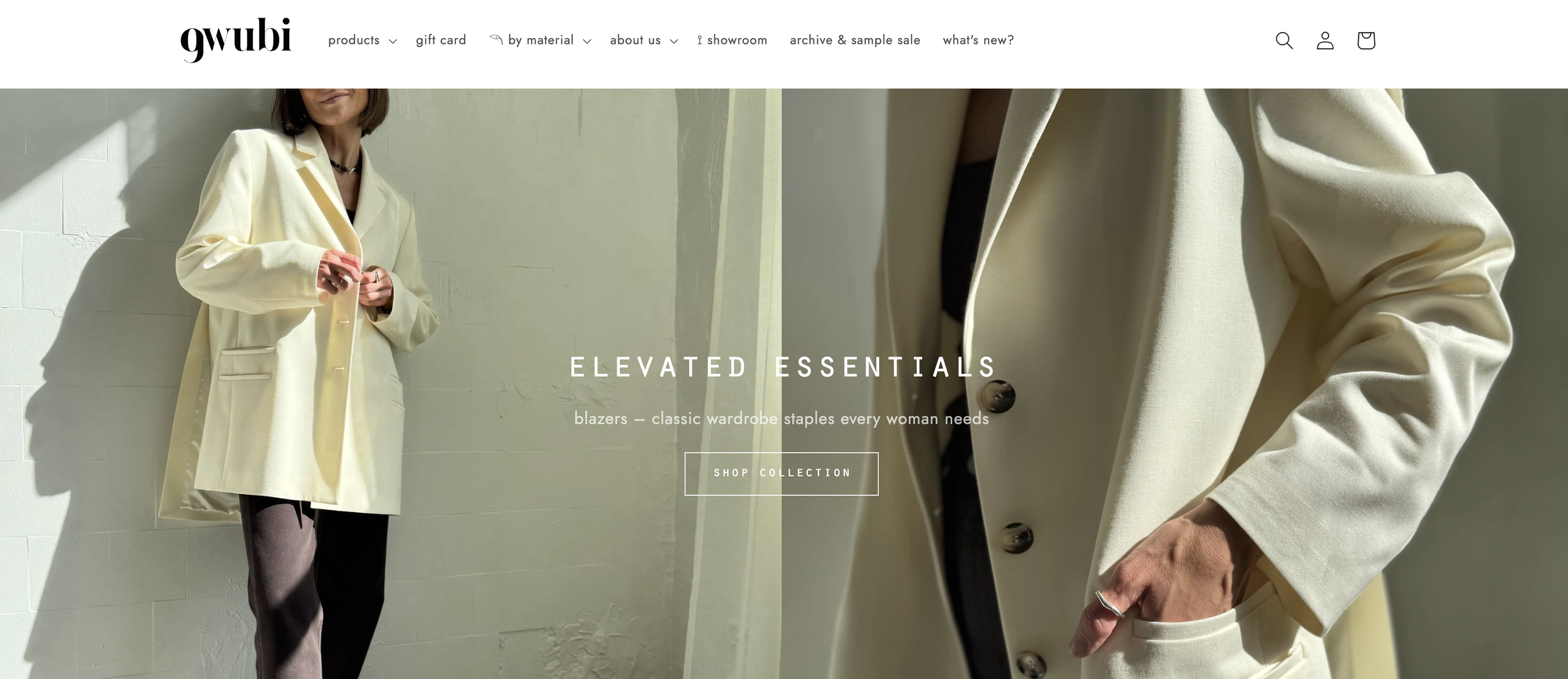
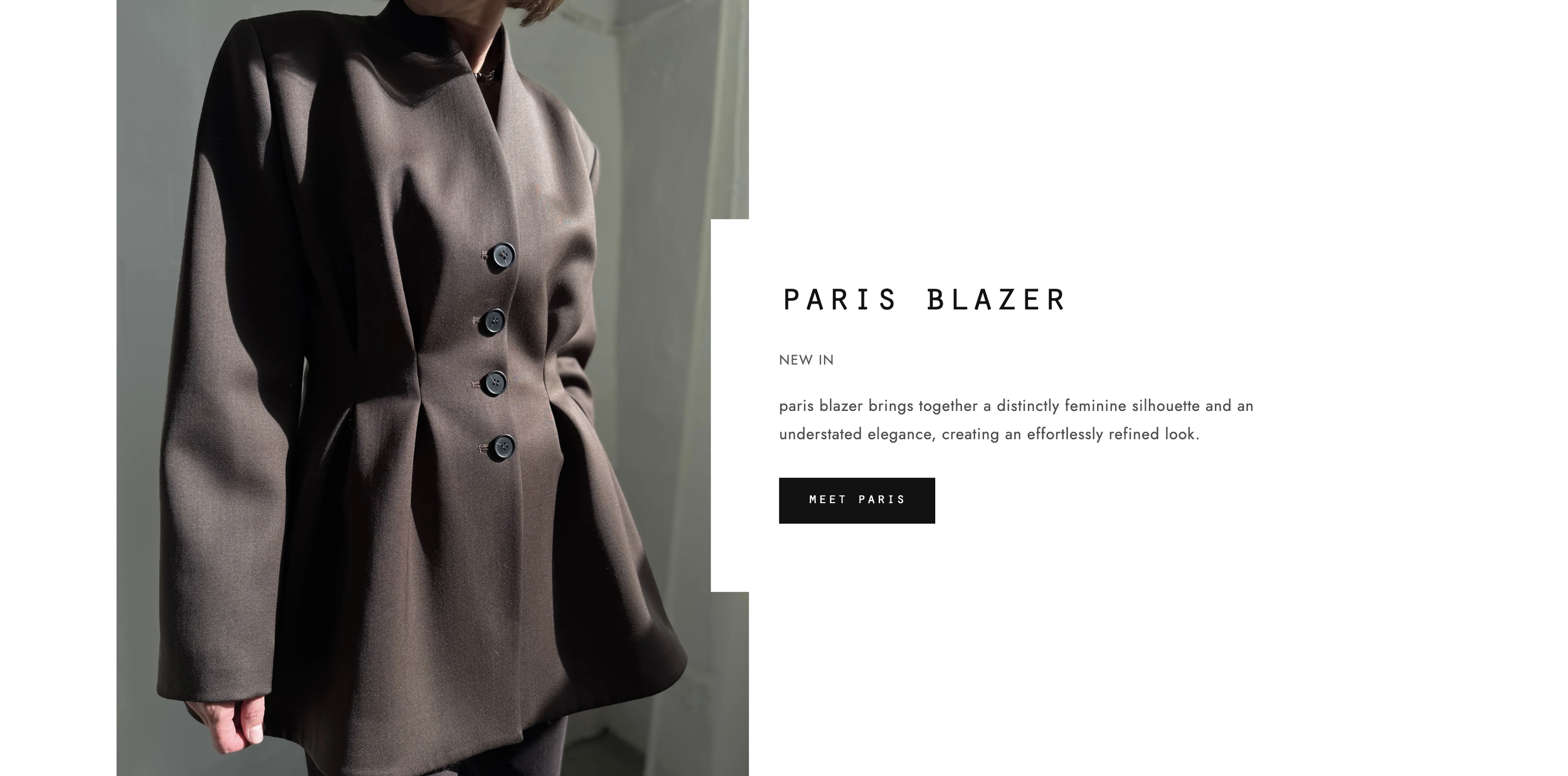
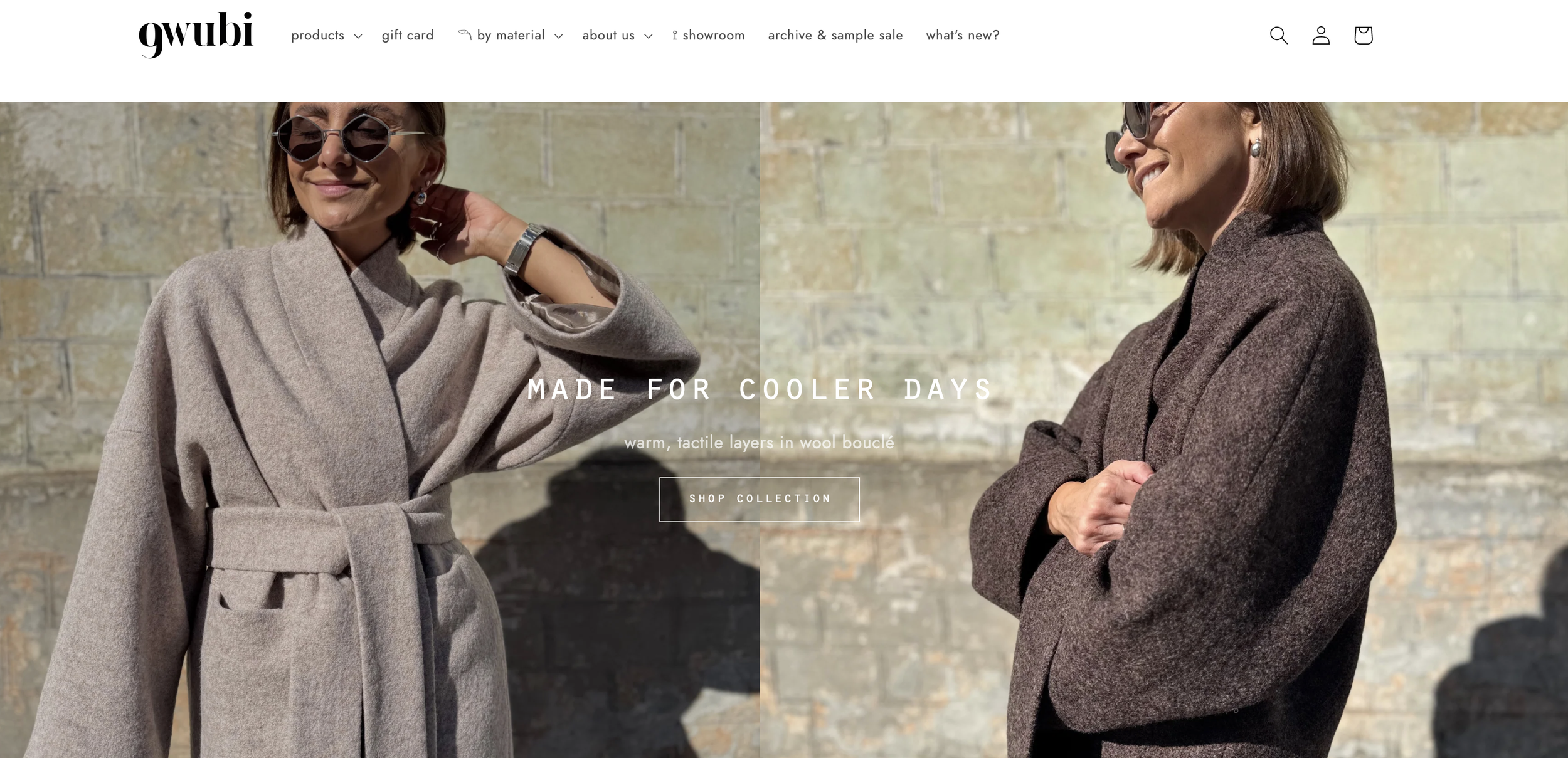
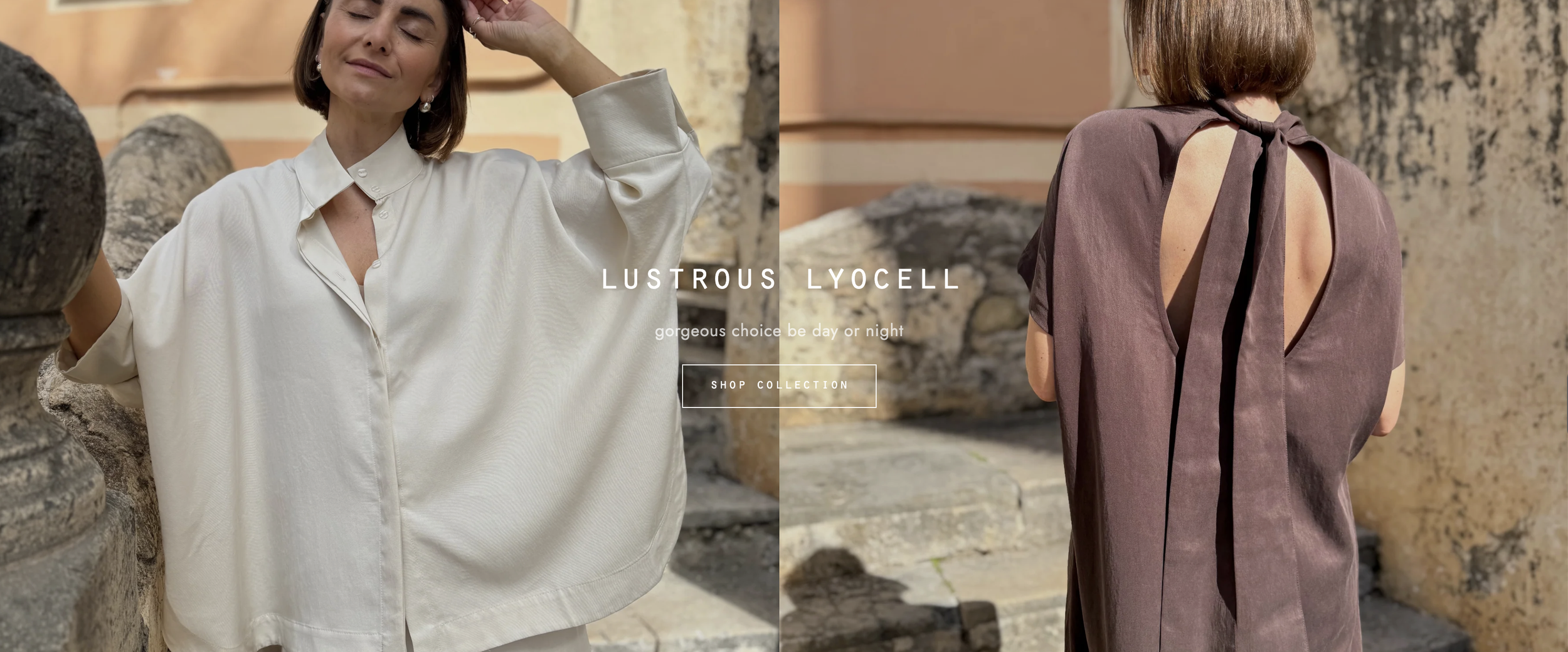
JALG makes Red Dot award-winning TV stands and sells to customers across the USA, Europe and Japan through its Shopify store. Furniture brings different challenges. Shoppers need to see how a stand looks in a real living room, how big it is next to a TV and what the oak, birch or walnut finish looks like up close. In-scale and detail images matter far more here than they do for clothing.



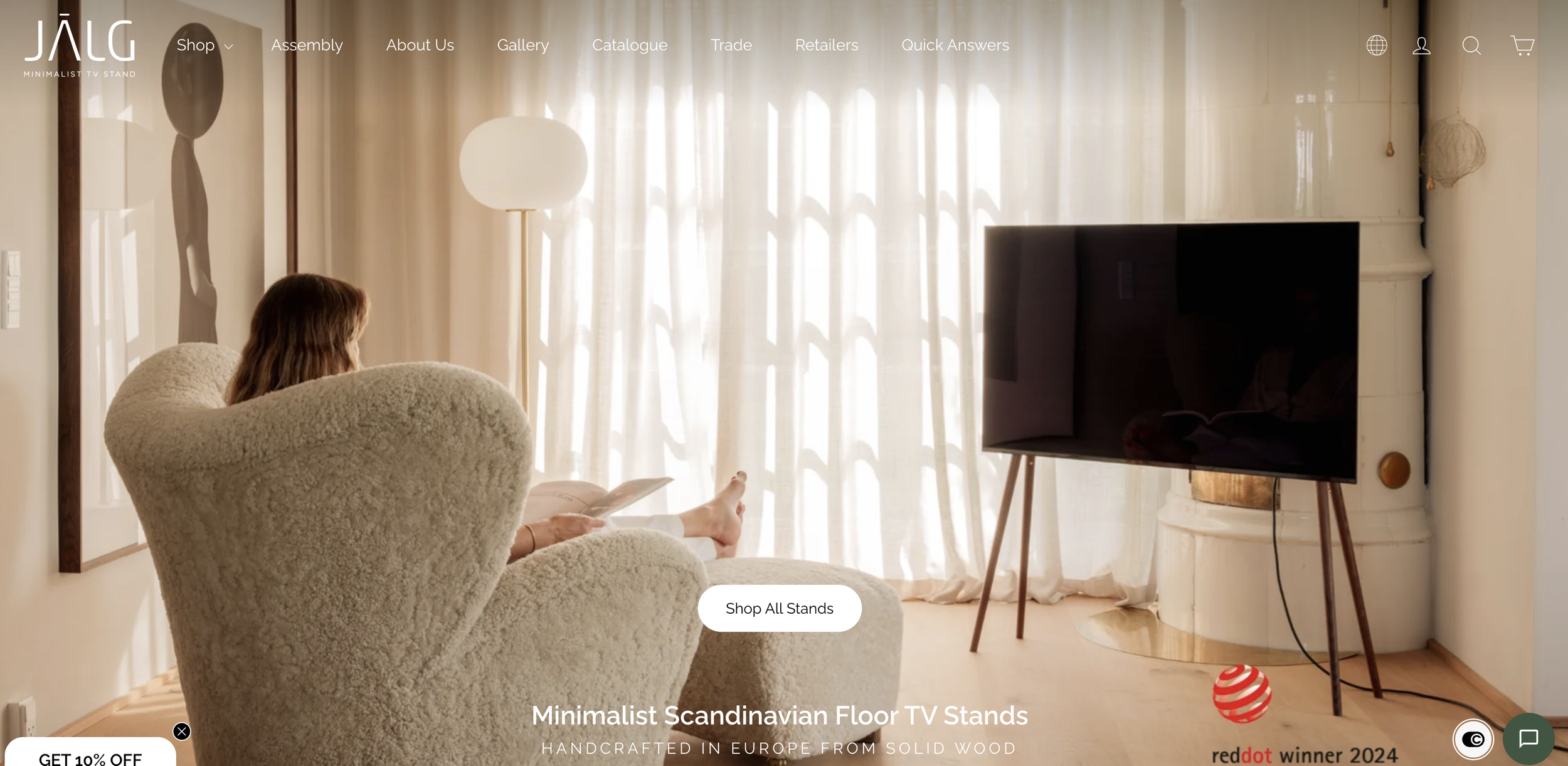
The lesson from both is the same. Plan your photos around the questions your customers ask, and the right shots follow.
Design principles to boost conversion
You've probably heard that content is king. If content is king, think of design as queen.
Choose colours that convey the right feel and help your products stand out from the page. For example, green on a yellow background won't look as sharp as yellow on blue. It's worth reading up on colour psychology before you choose your shop's palette.
Remove anything around your product images that distracts from the product. Keep backgrounds simple and consistent, so the product page looks professional and your website design works for your products rather than competing with them.
Optimise your images for speed
Beautiful images won't help if they slow your site down. Images are often the heaviest part of a product page, and on 68% of mobile pages, an image is the largest element Google measures for loading speed (Largest Contentful Paint).
Use modern formats. WebP and AVIF files are much smaller than JPEGs at the same quality. Shopify already serves AVIF or WebP automatically where a browser supports them.
Resize before you upload. Don't upload a 6,000-pixel camera file for an image that displays at 1,200 pixels.
Don't lazy-load your main product image. Lazy-load the images further down the page instead, so the first image appears straight away.
For more, see our guide on how to increase page speed on image-heavy websites.
Help search engines find your images
Your product images can bring in traffic from Google Images, Google Shopping and AI shopping assistants, as long as search engines can understand them.
Alt text. Google calls alt text the most important attribute for describing an image, and it helps people who use screen readers. Yet 45% of images on the web have no alt text, according to the HTTP Archive. Describe what's in the image, such as "oak TV stand with a 55-inch TV in a living room", without stuffing it with keywords.
File names. Name files descriptively, for example oak-tv-stand.jpg rather than IMG00023.jpg. If you sell in several languages, translate your file names and alt text along with the rest of the page.
Image sitemaps. If you have a small shop and every product sits within a few clicks of the homepage, you probably don't need one. However, an image sitemap helps Google find images it might not otherwise discover, including images hosted on a separate content delivery network.
Good images also feed AI shopping tools. As more shoppers ask ChatGPT and Google's AI to find products, complete product data with clear images helps you get recommended by ChatGPT and other assistants. Read more about how agentic commerce is changing ecommerce, or see our ecommerce SEO services.
Need a shop that shows your products at their best?
We design and build online shops where the product images do the selling, from the layout of your product pages to image speed and SEO. Take a look at our Shopify development and web design services, or see how ecommerce SEO brings more shoppers to your product pages.
-
Yes. Most shoppers look at the images before anything else, and A/B tests show the effect. Skinner Auctions got 63% more people to start bidding by making its images 28% bigger, and MALL.CZ increased revenue by 9.46% with larger product images. Good images also reduce surprises, which helps keep returns down.
-
There's no fixed number. As a minimum, show a clean main image, the product in scale, the product in use and close-ups of the details. Add model shots for anything people wear, and several angles or a 360° view for expensive products.
-
Yes, with care. AI tools are useful for removing backgrounds and editing. However, images that misrepresent the product lead to returns and lost trust. Google Shopping also requires AI-generated images to keep their AI metadata tag, so label them honestly.
-
For your main product images, usually yes. They're what sells the product, so consistent lighting and styling are worth the investment. Product photography isn't usually part of our projects.